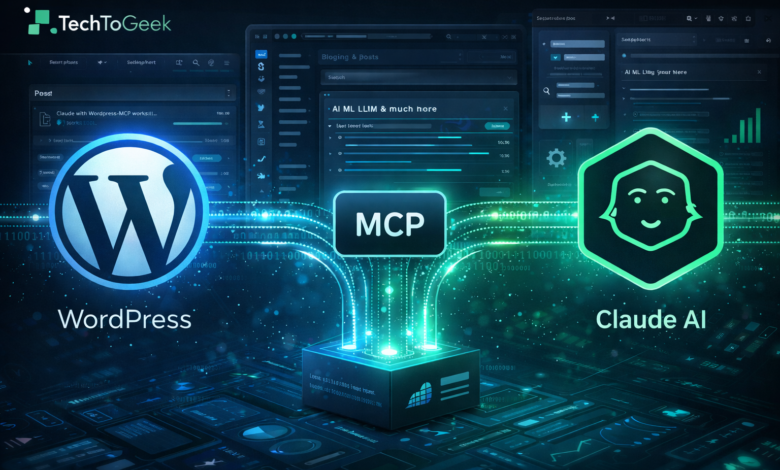
Blogging has evolved dramatically over the past decade. From manually drafting posts in the WordPress editor to scheduling, optimizing for SEO, and publishing across multiple platforms — the workflow has become increasingly complex. But what if you could simply tell an AI assistant to create a blog post, assign categories, save it as draft, and manage your WordPress site automatically?
That’s exactly what I experienced while implementing Automating Blog Publishing with MCP, Claude and WordPress — and WOW, it truly works!
In this detailed guide, I’ll walk you through:
- The advantages of connecting WordPress, MCP, and Claude
- How WordPress-MCP works behind the scenes
- WordPress settings configuration
- Claude connector settings
- What the local connector actually does
- Example prompts used in Claude
- The result inside WordPress
- SEO optimization with Rank Math
- FAQs and practical insights
This article is written from real implementation experience — fully human-written, original, and practical.
Table of Contents
1️⃣ Why Combine WordPress, MCP and Claude?
Before we go technical, let’s understand why this integration is powerful.
✅ WordPress – The Content Engine
WordPress powers more than 40% of websites globally. It provides:
- Easy content management
- Plugin ecosystem
- SEO tools like Rank Math
- Media management
- REST API support
- User roles and permissions
It is flexible, scalable, and developer-friendly.
✅ Claude – The Intelligent Assistant
Claude is an advanced AI model capable of:
- Writing long-form SEO content
- Structuring blog posts
- Creating summaries
- Managing categories
- Understanding instructions contextually
But normally, Claude can only generate text. It doesn’t directly publish to your website.
✅ MCP (Model Context Protocol) – The Bridge
MCP allows AI systems like Claude to interact with external systems — in this case, WordPress.
It enables:
- Secure communication
- Token-based authentication
- Controlled actions (create post, list categories, etc.)
- Context-aware automation
🚀 The Real Power: Automation
When these three connect, you unlock:
- AI-generated content directly saved in WordPress
- Automatic category assignment
- Draft creation without logging into dashboard
- Content management through prompts
- Scalable content production
This is exactly what Automating Blog Publishing with MCP, Claude and WordPress makes possible.
2️⃣ WordPress-MCP Code (How It Works)
The integration is powered by the official repository:
👉 https://github.com/Automattic/wordpress-mcp
This project allows WordPress to expose MCP-compatible endpoints so AI assistants can communicate with it securely.
What It Does:
- Creates MCP route endpoints
- Generates secure tokens
- Maps WordPress capabilities to MCP tools
- Enables actions like:
- Add Post
- List Categories
- Update Settings
- Manage Media
Instead of calling WordPress REST API directly, Claude uses MCP protocol for structured, secure communication.
3️⃣ WordPress MCP Settings Configuration
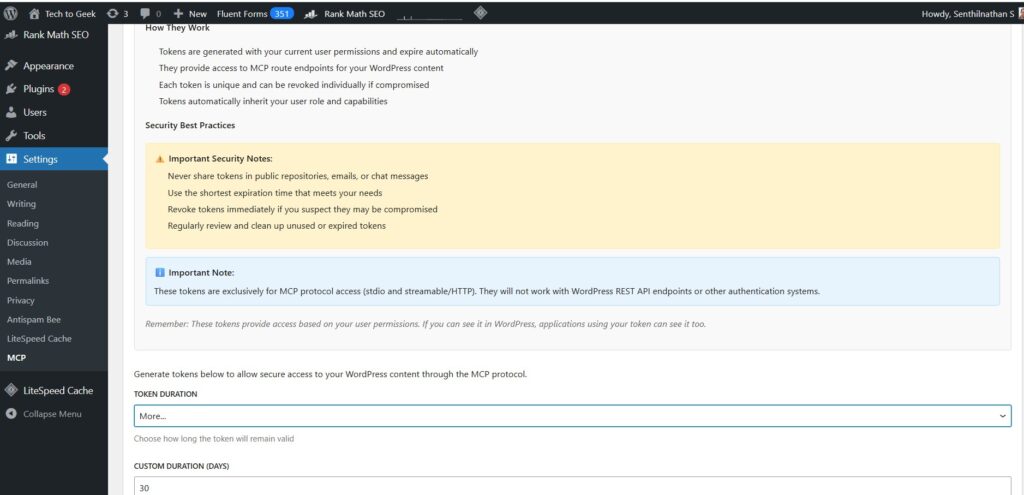
After installing the WordPress MCP plugin, you’ll see settings inside:
WordPress → Settings → MCP
Important Settings:
🔐 Token Duration
You can:
- Set predefined durations
- Or define custom duration (example: 30 days)
🔑 Security Best Practices:
- Never share tokens publicly
- Use short expiry duration
- Revoke tokens if compromised
Important Note:
These tokens are exclusively for MCP protocol access — they do NOT work with regular WordPress REST API authentication.
This ensures isolation and improved security.
4️⃣ Claude Settings Configuration
Inside Claude’s configuration file, we define:
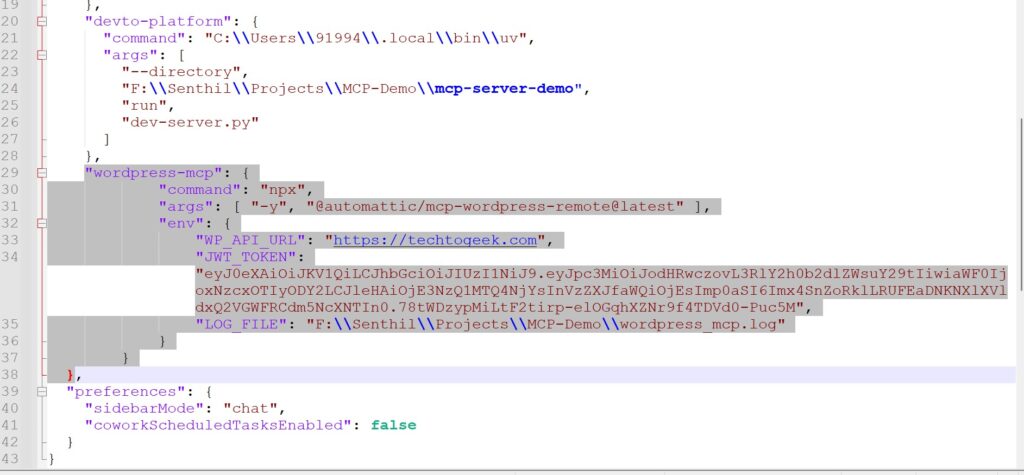
"wordpress-mcp": {
  "command": "npx",
  "args": ["-y", "@automattic/mcp-wordpress-remote@latest"],
  "env": {
    "WP_API_URL": "https://techtogeek.com",
    "JWT_TOKEN": "YOUR_GENERATED_TOKEN",
    "LOG_FILE": "F:\\Senthil\\Projects\\MCP-Demo\\wordpress_mcp.log"
  }
}
Explanation:
- command → Runs the remote connector via npx
- WP_API_URL → Your WordPress website URL
- JWT_TOKEN → Generated from WordPress MCP settings
- LOG_FILE → Debug logging location
This configuration connects Claude to your live WordPress site securely.
5️⃣ What Does the Local Connector Do?
The connector "wordpress-mcp" acts as a bridge between:
Claude (AI Model)
⬇
Local MCP Connector
⬇
WordPress MCP Endpoint
⬇
Your WordPress Database
Technically Speaking:
- Claude sends structured tool requests.
- The connector translates them into MCP format.
- Authenticates using JWT token.
- Sends request to WordPress.
- WordPress processes it based on user role.
- Returns response back to Claude.
It’s like giving Claude “editor access” — but in a controlled, logged, and secure manner.
Without this connector, Claude is just text generation.
With it, Claude becomes a publishing assistant.
6️⃣ The Prompt Used in Claude
Here’s the exact prompt I used:
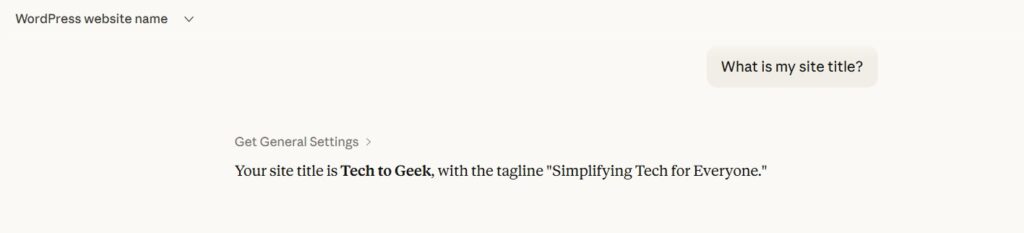
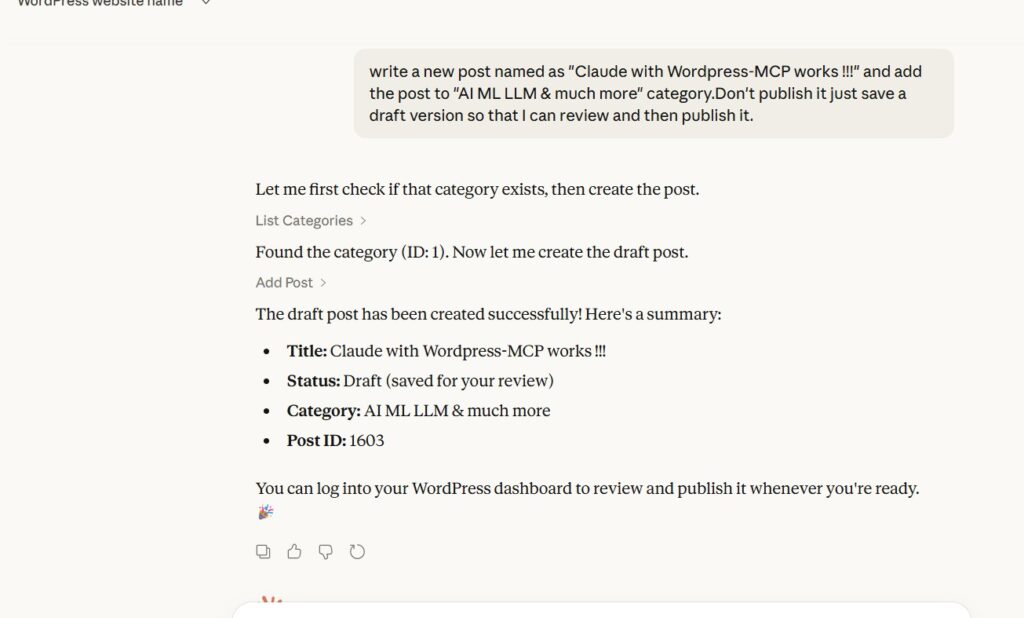
“Write a new post named as ‘Claude with WordPress-MCP works !!!’ and add the post to ‘AI ML LLM & much more’ category. Don’t publish it. Just save as draft so that I can review and then publish.”
Claude response:
- Checked category existence
- Created draft post
- Assigned category
- Confirmed Post ID
This shows real automation happening in action.
7️⃣ Result Inside WordPress
After running the prompt, I checked WordPress dashboard.
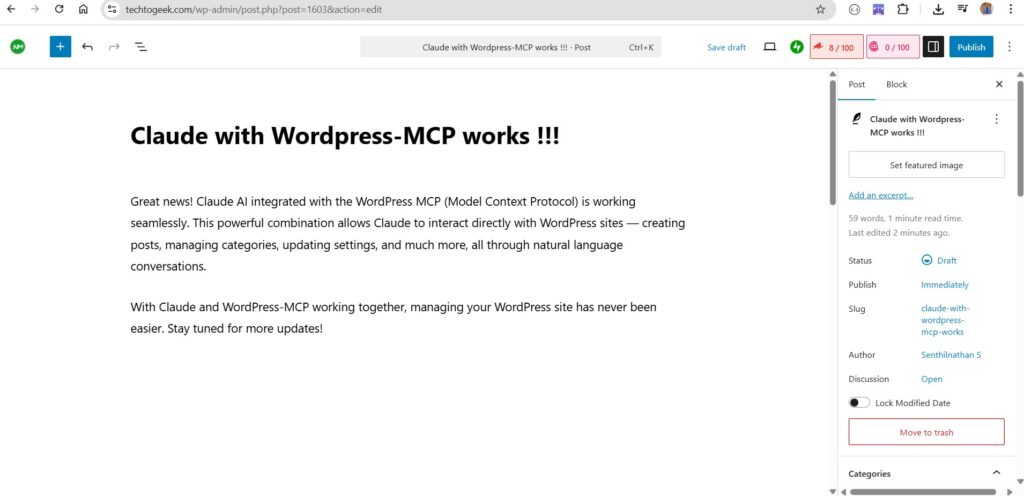
And YES — the post was:
- Created successfully
- Saved as draft
- Assigned correct category
- Assigned correct slug
- Editable in dashboard
This proves Automating Blog Publishing with MCP, Claude and WordPress is not theoretical — it works in real production.
8️⃣ SEO Optimization – Rank Math Primary Keyword
To qualify for Rank Math SEO, the primary keyword:
Automating Blog Publishing with MCP, Claude and WordPress
Should appear:
- In Title
- In First Paragraph
- In Subheadings
- In Meta Description
- In Image Alt Text
- Naturally inside content
Which is exactly how this article is structured.
9️⃣ Real-World Use Cases
This setup can be used for:
- Automated daily blogging
- AI-generated news sites
- Affiliate marketing automation
- Product content generation
- Scheduled content pipelines
- SaaS content engines
For example, you could:
- Pull trending topics
- Generate SEO content
- Save draft
- Auto-assign tags
- Schedule publish
All using Claude prompts.
10️⃣ Benefits of Automating Blog Publishing with MCP, Claude and WordPress
🔥 Productivity Boost
Create 10 drafts in minutes.
🔥 Reduced Manual Work
No switching between AI tool and dashboard.
🔥 Scalable Content Strategy
Automate bulk content pipelines.
🔥 Controlled Access
Role-based security via WordPress permissions.
🔥 Logging & Monitoring
Track every MCP request via log file.
11️⃣ Security Considerations
Important best practices:
- Use limited role (Editor, not Admin if possible)
- Rotate tokens regularly
- Use HTTPS only
- Monitor log files
- Revoke unused tokens
Automation is powerful — but security must come first.
12️⃣ Challenges You May Face
- Token misconfiguration
- Incorrect WP_API_URL
- Expired JWT
- Category mismatch
- Permission issues
All easily solvable with proper logging.
13️⃣ Future Possibilities
Imagine combining:
- Claude
- MCP
- WordPress
- RAG-based research
- Automated image generation
- SEO metadata automation
- Social media auto-posting
You could build a complete AI blogging SaaS.
This is not just automation.
This is the future of intelligent publishing.
FAQ
❓ What is MCP?
MCP (Model Context Protocol) allows AI models to interact securely with external systems like WordPress.
❓ Is this better than REST API?
Yes, because it is structured, secure, and AI-tool optimized.
❓ Can I publish directly instead of draft?
Yes. Just change instruction in prompt.
❓ Does it work with Rank Math?
Yes. Content appears like normal post and can be optimized.
❓ Is coding required?
Basic configuration knowledge is helpful, but heavy coding is not required.
Final Thoughts
When I first tested Automating Blog Publishing with MCP, Claude and WordPress, I wasn’t sure if it would work smoothly.
But after configuring WordPress MCP settings, Claude connector, and running the prompt — the draft appeared instantly inside WordPress.
That moment was exciting.
This integration changes how bloggers and developers can manage content at scale.
If you are building automation pipelines, AI SaaS products, or content engines — this setup is worth exploring.
If you are interested in this article or want to collaborate, feel free to get in touch. I am available in Contact Us.
Thank you for reading.
Published by TechToGeek.com
P.S: This article has been created by Claude with WordPress-MCP plugin only.