
The idea of building a MicroSaaS has fascinated me for a long time. A MicroSaaS is essentially a small, focused SaaS product that solves a specific problem for a niche audience. Instead of building massive platforms, MicroSaaS founders focus on simple automation tools that provide real value.
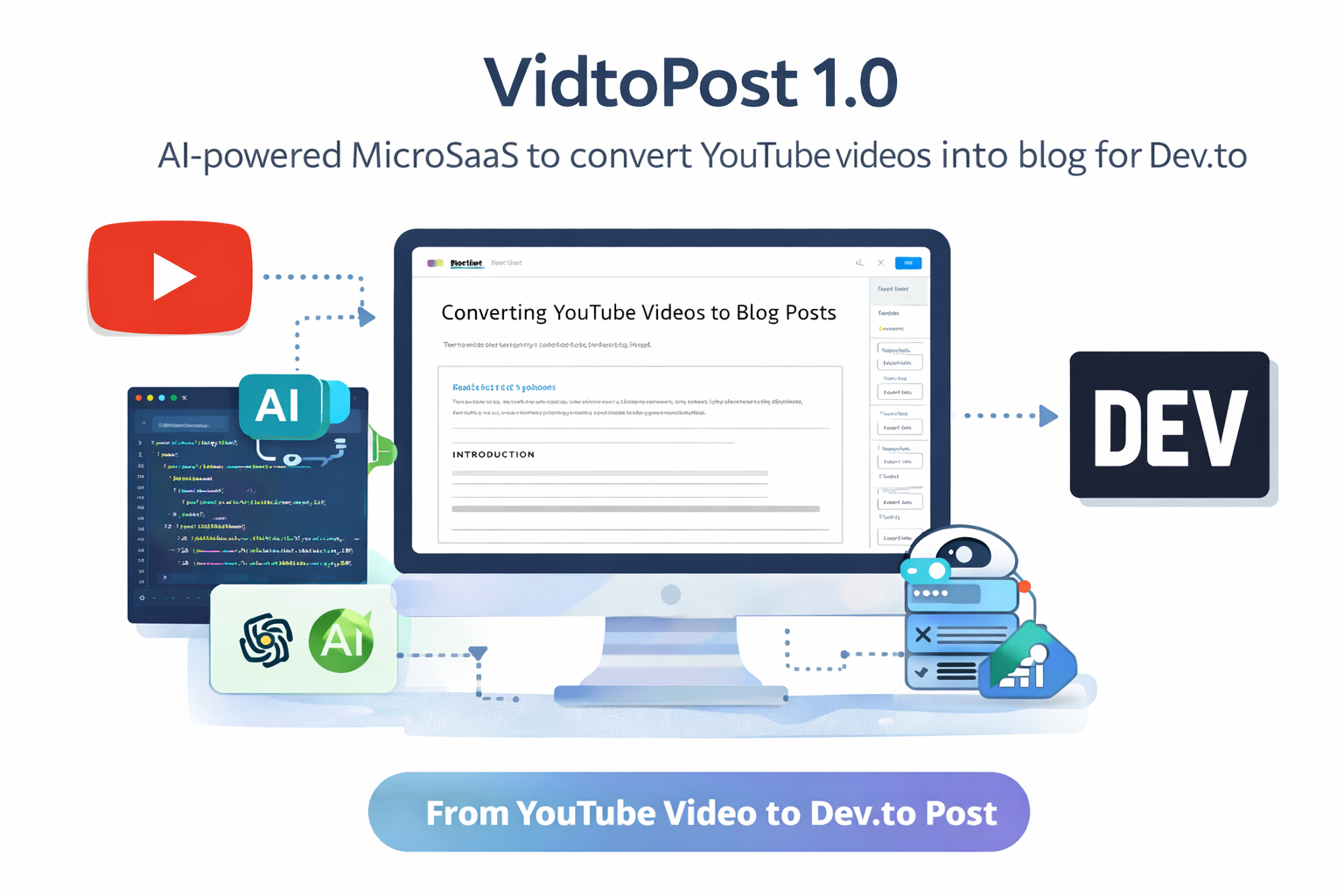
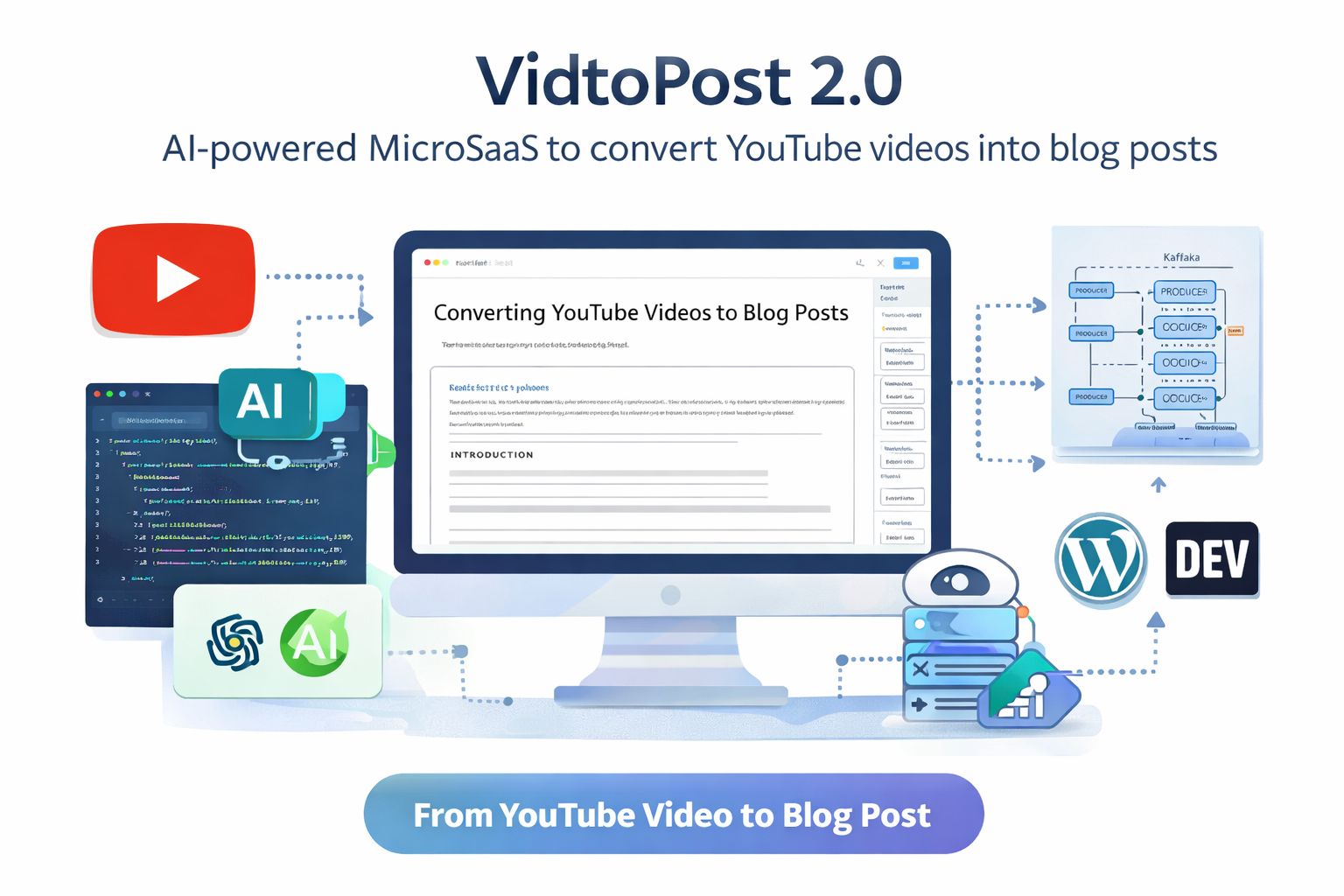
Recently, I built a Generative AI–powered tool called VidtoPost 2.0. This tool takes a YouTube video URL and automatically converts it into a fully structured blog post, complete with images and ready to publish on platforms like Dev.to and WordPress.
In this article, I will explain:
- What VidtoPost 2.0 is
- How it works internally
- The technologies used
- Code snippets for key components
- Lessons learned while building a Generative AI MicroSaaS
- Future improvements
If you’re interested in MicroSaaS, Generative AI, automation tools, or AI blogging systems, this project might inspire your next idea.
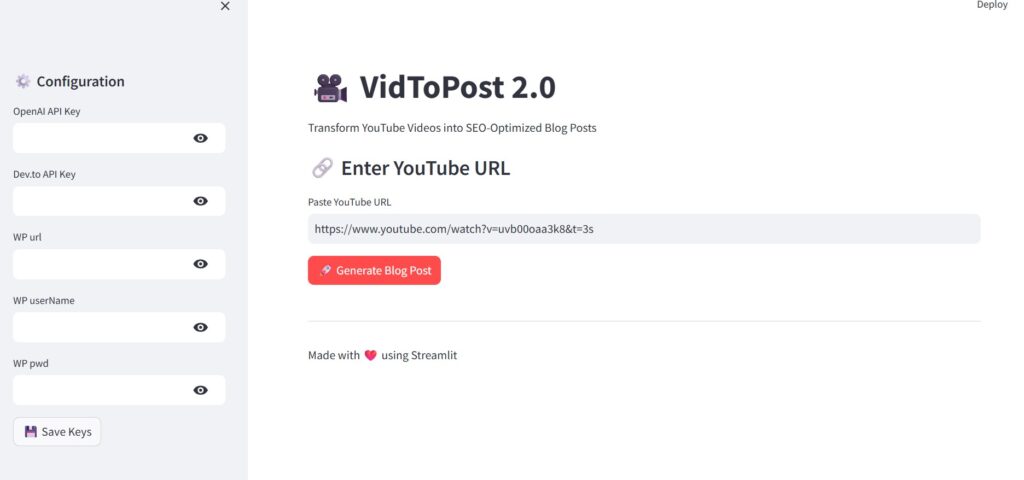
Table of Contents
What is VidtoPost 2.0?
VidtoPost 2.0 is a Generative AI application that converts YouTube videos into blog posts automatically.
Instead of manually writing articles after watching videos, the system automates the entire pipeline:
- Extract the video audio
- Generate a transcript
- Convert the transcript into a structured blog
- Generate AI images
- Insert images under headings
- Publish to blogging platforms
The tool supports publishing to:
- Dev.to
- WordPress
You can explore the project here:
🔗 GitHub Repository:
https://github.com/subasen85/vidtopost-devto.git
VidtoPost 1.0 initially supported Dev.to publishing, while VidtoPost 2.0 expands support to WordPress as well.
This makes it possible to repurpose video content into written blogs quickly, which is extremely useful for:
- YouTubers
- Bloggers
- Content marketers
- Technical writers
Why MicroSaaS?
MicroSaaS products are attractive because they require:
- Small teams (sometimes just one developer)
- Low infrastructure costs
- Focused functionality
- Clear customer value
Instead of building complex platforms, MicroSaaS tools solve very specific problems.
Examples include:
- Review monitoring tools
- SEO automation tools
- AI content converters
- Data scraping utilities
VidtoPost fits perfectly into the MicroSaaS ecosystem because it solves a very specific content automation problem.
Technologies Used
The system uses a modern AI stack with Python.
Core technologies include:
- Python
- yt-dlp for downloading YouTube audio
- Whisper for speech-to-text transcription
- OpenAI API for blog generation and image creation
- Streamlit for the user interface
- WordPress REST API for publishing
- Dev.to API for article publishing
These tools make it possible to build powerful Generative AI applications with relatively small codebases.
VidtoPost 2.0 Interface
When users open the application, they first need to provide API keys.
The interface asks for:
- OpenAI API Key
- Dev.to API Key
These keys are stored in the session for security purposes.
The UI is built using Streamlit, which allows rapid development of Python-based web interfaces.
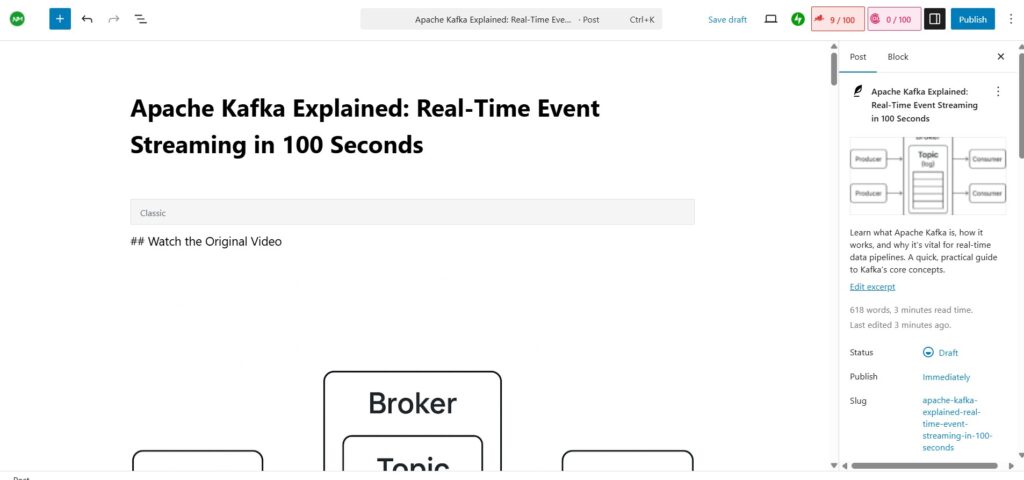
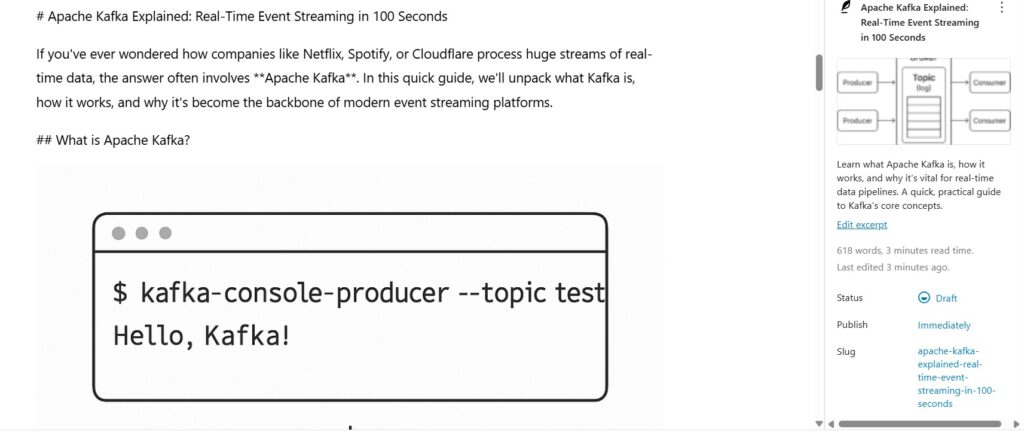
The first two screenshots in the application show the list of generated articles, while the final screenshot displays the VidtoPost 2.0 interface where the user enters the YouTube URL.
The VidtoPost 2.0 Pipeline
VidtoPost follows a structured AI pipeline:
YouTube
   ↓
Whisper Transcript
   ↓
AI Blog
   ↓
AI Image Prompt
   ↓
OpenAI Image Generation
   ↓
Save Image
   ↓
Upload to WordPress Media
   ↓
Get Media URL
   ↓
Insert into Blog
   ↓
Publish Post
Each stage in this pipeline plays a crucial role.
Let’s explore how each step works.
How It Works
Step 1: Extracting Audio from YouTube
The system starts by downloading audio from the provided YouTube URL.
This is done using yt-dlp, a powerful open-source tool for downloading YouTube content.
Example code:
import yt_dlp

def download_youtube_audio(url):
    ydl_opts = {
        'format': 'bestaudio/best',
        'outtmpl': 'audio.%(ext)s'
    }

    with yt_dlp.YoutubeDL(ydl_opts) as ydl:
        ydl.download([url])
This step extracts the audio stream, which is needed for transcription.
FAQ
Why use yt-dlp instead of the YouTube API?
Because yt-dlp allows direct access to the media streams without complex authentication.
Does VidtoPost download the video?
No. It only downloads the audio, which reduces processing time and storage.
Step 2: Generating the Transcript with Whisper
Once the audio is downloaded, it is sent to Whisper, OpenAI’s speech recognition system.
Whisper converts spoken audio into text.
Example code:
from openai import OpenAI

def transcribe_audio(audio_path, api_key):
    client = OpenAI(api_key=api_key)

    transcript = client.audio.transcriptions.create(
        model="whisper-1",
        file=open(audio_path, "rb")
    )

    return transcript.text
The transcript becomes the raw material for the blog post.
FAQ
Why Whisper instead of traditional speech recognition?
Whisper provides significantly better accuracy, especially for technical content.
Does it support multiple languages?
Yes, Whisper supports many languages and automatically detects them.
Step 3: Generating the Blog Post with AI
The transcript is then sent to a Generative AI model, which converts it into a structured article.
The model generates:
- Title
- Meta description
- Tags
- Structured sections
- Reading time
Example prompt:
prompt = f"""
Convert this transcript into a structured blog post.

Include:
- Title
- Headings
- Summary
- SEO friendly structure

Transcript:
{transcript}
"""
The result is a human-readable blog post ready for publishing.
FAQ
Is the content copied from the video?
No. The AI rewrites and structures the transcript, making it more readable.
Can the generated blog be edited?
Yes. Users can edit the content before publishing.
Step 4: Generating AI Images
One of the most powerful features of VidtoPost 2.0 is automatic image generation.
The AI analyzes the blog sections and generates image prompts.
Example prompt:
Create a clean technical diagram showing Apache Kafka architecture with producers, topics, brokers, and consumers.
The image is then generated using OpenAI image models.
FAQ
Why generate images instead of using stock photos?
Technical blogs often require diagrams, which are rarely available in stock libraries.
Are the images unique?
Yes. Each image is AI-generated, ensuring originality.
Step 5: Uploading Images to WordPress
Generated images are saved locally and then uploaded to WordPress using the WordPress REST API.
Example:
media_url = f"{wordpress_url}/wp-json/wp/v2/media"

response = requests.post(
    media_url,
    headers=headers,
    files=files
)
The API returns a public image URL, which is inserted into the blog post.
FAQ
Why upload images to WordPress first?
WordPress requires images to exist in the Media Library before embedding them in posts.
Does the system set a featured image?
Yes. One generated image is automatically assigned as the featured image.
Step 6: Publishing the Blog
Finally, the blog is published using the WordPress REST API.
Example code:
post_data = {
    "title": blog_data["title"],
    "content": blog_data["content"],
    "status": "draft"
}
This creates a draft post that can be reviewed before publishing.
FAQ
Does VidtoPost publish automatically?
Currently it publishes as a draft, allowing manual review.
Which editor does it support?
At the moment, it works best with the Classic Editor. Gutenberg support will be explored in future updates.
SEO Improvements Implemented
Several SEO improvements were considered while designing the system:
Anchor Tags
Blog posts include internal and external anchor links.
Example:
- Internal link to articles on TechToGeek.com
- External links to tools and documentation
Category Selection
Each blog post belongs to one primary category, improving content organization.
YouTube Credits
The system automatically gives credit to the original YouTuber, ensuring transparency.
Future Improvements
VidtoPost is still evolving.
Future improvements include:
Gutenberg Editor Support
Currently optimized for Classic Editor.
Future versions will support Gutenberg block formatting.
Better Image Placement
AI will determine exact sections where images should appear.
Multi-Platform Publishing
Possible future integrations:
- Medium
- Hashnode
Automated Table of Contents
Automatically generating TOCs based on headings.
Lessons Learned While Building This MicroSaaS
Building VidtoPost taught me several important lessons.
1. AI Works Best When Combined with Automation
AI alone is not enough. The real power comes from combining:
- AI models
- APIs
- automation pipelines
2. Simple Ideas Can Become Powerful Tools
The concept of YouTube → Blog conversion is simple but extremely useful.
3. MicroSaaS Development Is Fast
With modern APIs, a single developer can build powerful AI products quickly.
Conclusion
VidtoPost 2.0 demonstrates how Generative AI can automate content creation workflows.
By combining:
- YouTube processing
- AI transcription
- blog generation
- AI image creation
- WordPress automation
the system turns a video into a publish-ready blog post in minutes.
This project is also a great example of how MicroSaaS products can be built using modern AI tools.
If you are interested in building your own AI-powered MicroSaaS, exploring tools like VidtoPost can be a great starting point.
You can explore the project here:
https://github.com/subasen85/vidtopost-devto.git
Some Sample Screenshots of Articles from Vidtopost 2.0
If you are interested in any of my article or want to collaborate, feel free to get in touch,I am available in contact us.
Thank you for reading,TechtoGeek.com
Related Articles VidtoPost 1.0 and AutoImage